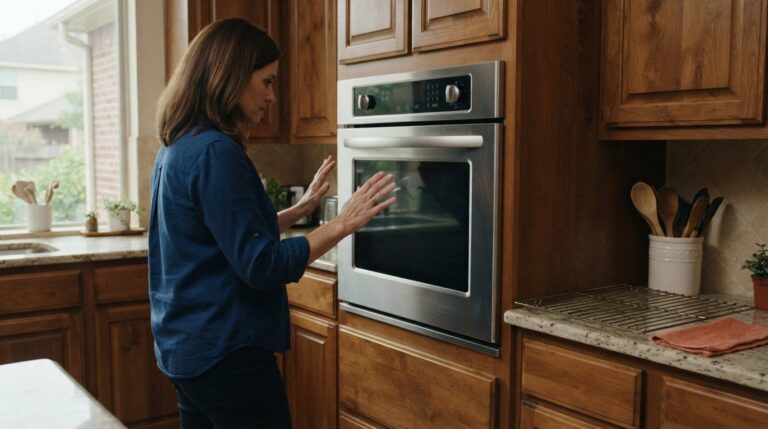
A self-cleaning cycle can heat an oven to between 800 and 1,000°F, so safe use starts with correct controls and good ventilation. If the door stays locked or the oven seems to overheat, don’t force it open; let the oven cool completely before checking it. These steps matter when dealing with self-cleaning oven problems in Sugar Land.
A locked door or a cycle that won’t start can be stressful, especially when you need the oven. Some problems come down to the control sequence or an oven that hasn’t cooled enough. Recurring lock or overheating problems may need repair.
Learn how to check the controls, let the oven cool, and respond safely to a locked door or signs of overheating. You’ll also find out when to stop trying the cycle and arrange oven repair.
Key Takeaways
- Confirm the oven’s model-specific button sequence before trying to start self-clean again.
- An oven used for cooking may need additional time to cool before the cycle will begin.
- Remove the racks before self-cleaning to help prevent discoloration or damage to their finish.
- A working bake function doesn’t rule out a problem with the self-clean door lock or its controls.
- If the cycle keeps failing, stop repeating attempts and arrange a diagnosis of the oven.
Safety precautions for locked or overheated ovens
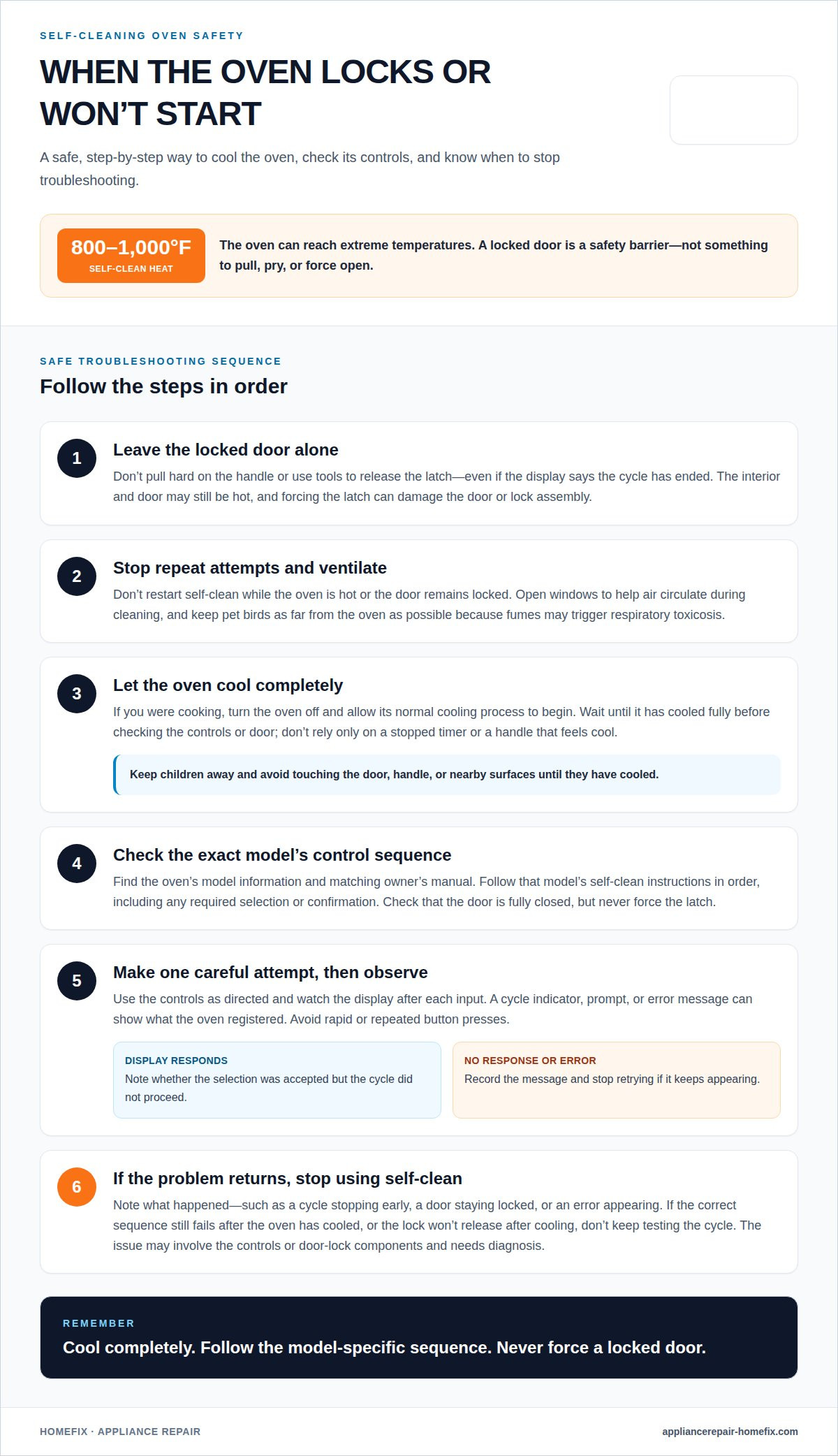
A self-cleaning cycle can heat the oven cavity to between 800 and 1,000°F. That intense heat burns baked-on food, but it also makes the oven unsafe to open during cleaning. If the door remains locked after a cycle problem, don’t pull, pry, or force the latch. The lock protects you from the hot interior, and forcing it can damage the door or latch assembly.
Wait until the oven has cooled completely before checking its controls or door. The display may show that the cycle has ended while the interior and door remain hot. Don’t assume the door is ready to open just because the timer stopped. Keep children away from the oven, and avoid touching the door, handle, or nearby surfaces until they have cooled.
Use these precautions if the cycle stalls or the oven feels unusually hot:
- Leave the locked door alone. Don’t use tools or pull hard on the handle, even if the cycle appears finished.
- Stop repeated attempts. Don’t restart self-clean while the oven is still hot or the door remains locked.
- Ventilate the kitchen. Open windows during self-cleaning and keep air moving through the room.
- Move pet birds away. Keep them as far from the oven as possible during cleaning because fumes may trigger respiratory toxicosis.
- Let the oven cool completely. Only then consider a visual check of the controls and door.
Ventilation matters because self-cleaning can produce fumes as food residue burns inside the oven. Opening a window helps air circulate, but it doesn’t make it safe to force a locked door. If an odor or heat concern makes you uncomfortable, stop using the cycle and keep your distance while the oven cools.
After the oven is cool, note what happened before touching the controls. For example, record whether the cycle stopped early, the door stayed locked, or the display showed an error. These details can help distinguish a control-sequence issue from a latch problem. Don’t repeat a cycle to test a fault that keeps returning.
For Sugar Land homeowners, the same precautions apply; local information is available on the Sugar Land service-area page. If the oven stays hot, the lock won’t release after cooling, or the problem recurs, stop using self-clean until the cause is diagnosed. Safer handling starts with leaving the door closed and giving the oven time to cool fully.
Confirming the self-clean control sequence
To troubleshoot a self-cleaning oven that won’t start safely, let it cool, then follow the control sequence for its exact model. Some ovens require a model-specific button sequence, so don’t assume the controls work like those on another oven.
Start with the oven’s model information and owner’s manual. Find that model’s self-clean instructions, then compare each step with the controls you pressed. The panel may require a specific button, selection, or confirmation before the cycle begins. If you choose the wrong function, the oven may stay in regular cooking mode instead of starting self-clean.
Follow the sequence in order, using the labels on your oven. For example, if the instructions say to select self-clean and then confirm a cycle setting, complete both steps. Watch the display after each press. A change can show that the control registered your input; no response may point to a keypad or control issue.
- Identify the exact model. Use the oven’s model label and match it to the correct manual.
- Read the full sequence. Note which controls to press and whether the oven asks for confirmation.
- Check the display. Look for a cycle indicator, prompt, or error message after entering the sequence.
- Make one careful attempt. Avoid rapid or repeated button presses that make it harder to tell which input registered.
Pay attention to what happens after the final input. If the display accepts the selection but the cycle doesn’t proceed, the sequence may not be the only problem. If the keypad doesn’t respond or an error keeps appearing, stop retrying and note the message. Those details can help narrow down whether the issue involves the controls or another component.
Don’t test the cycle while the oven is still hot from cooking. A recently used oven may need more time to cool before self-clean will start. Check that the door is fully closed, but don’t push or force its latch. The oven must register the door position before starting a high-temperature cycle.
One careful check can distinguish a missed control step from a recurring fault. If the correct sequence still fails after the oven has cooled, repeated attempts won’t clarify the cause. Record the model and any display message, then move on to diagnosing the oven instead of continuing to press controls.
Cooling the oven before starting self-clean
An oven used for cooking may need extra time to cool before its self-clean cycle will start. Residual heat from baking can affect whether the controls allow a new cycle. If you selected self-clean soon after cooking, wait until the oven has cooled, then try the model-specific sequence once.
Smoke or a burning smell during self-clean often comes from food residue heating inside the oven. Grease, crumbs, and spills can burn as the cycle heats the cavity. Ventilate the kitchen, keep pet birds far away, and stop the cycle if smoke becomes heavy or the oven behaves abnormally.
Cooling isn’t just a matter of waiting a set amount of time. The oven’s starting temperature depends on how recently it was used, how hot it got, and how quickly it releases heat. A short bake may leave less residual heat than a long roast. Let the oven cool fully rather than relying on a timer or a handle that feels cool.
Use this sequence before another attempt:
- End regular cooking. Turn the oven off and let its normal cooling process begin.
- Wait for the oven to cool. Don’t start self-clean immediately after baking or broiling.
- Check the display. Note any message that remains after the oven cools.
- Try the model’s sequence once. Follow its instructions and watch for a cycle indicator.
If an error code appears during self-cleaning, note it exactly and consult the oven’s manual for its meaning. Don’t guess at the cause or keep restarting the cycle; a recurring code needs diagnosis.
Let the oven cool after a failed attempt, too. A cycle that stops early may leave enough heat for the controls to block another start. For example, if the oven stops midway and still feels hot, wait instead of pressing self-clean again. Repeated attempts can make it harder to tell whether the problem involves heat, controls, or a faulty component.
Once the oven is cool, inspect only what you can safely see, such as a visible spill or an error message. Don’t remove panels or reach around the door latch. If the oven is still too hot, shows the same error after cooling, or won’t start despite the correct sequence, stop testing it. The pattern and recorded message can help determine whether repair is needed.
Door lock motor and latch assembly problems
Common self-cleaning oven problems include a cycle that won’t start, a door that stays locked, or a cycle that stops before finishing. An oven may still bake normally while a door-lock or related control problem prevents self-cleaning. For homeowners dealing with self-cleaning oven problems in Sugar Land, the oven’s other functions can offer useful clues, but they don’t rule out a fault.
The lock system keeps the door secured during the high-heat cycle. The controls must register the door position before self-clean can proceed. If the latch doesn’t engage, the oven may refuse to start. If it stays engaged after cooling, the door may remain shut even after cleaning ends.
Look for the pattern, not just a single symptom. A door that closes but won’t lock suggests a different issue from a latch that remains engaged after the oven cools. A cycle that repeatedly stops at the same stage can point to a recurring lock or control fault rather than a setting error. These details help you describe self-cleaning oven problems in Sugar Land clearly when repair is needed.
- Cycle won’t begin: The oven may not detect that the door is securely closed.
- Door won’t release: The latch may remain engaged after the cycle ends and the oven cools.
- Self-clean fails, baking works: Normal baking doesn’t rule out a lock or self-clean control problem.
- Failure returns: A recurring lock issue needs diagnosis instead of repeated cycle attempts.
After the oven cools, check the door’s visible position without pulling the handle. Note whether it closes evenly, whether the display indicates a lock, and whether the problem starts before or after the cycle begins. Don’t pry the door open or press hard against the latch. This can damage the assembly and make the fault harder to identify.
A latch problem can involve the locking mechanism or related controls. The motor moves the lock, while the control system must recognize whether the door is secured. A fault in either area can interrupt self-cleaning. Because these parts work together, the same visible symptom can have several causes.
Repeated attempts don’t prove the motor has failed. Record what happens: whether the oven accepts the self-clean command, whether the door locks, and when the problem appears. If the oven bakes but self-clean repeatedly fails, that contrast is useful diagnostic information.
Stop using self-clean if the door remains locked after the oven cools, the latch appears damaged, or the fault returns. Leave the door closed if it’s still secured. A qualified diagnosis can determine whether the issue lies in the latch assembly, motor, or related controls without risking damage by forcing the door open.
Oven repair and maintenance
Self-cleaning heats the oven cavity above 800°F to burn baked-on spills and spots. That high heat can expose weaknesses in components that already struggle. If the cycle fails repeatedly, stop retrying and arrange a diagnosis instead of treating each failed attempt as a one-time glitch.
According to Consumer Reports’ most recent reliability ratings, self-clean cycle problems occur in 1 percent of self-cleaning ranges. A failure is uncommon, but recurring problems still deserve attention. Note what happened: whether the oven began heating, stopped midway, displayed an error, or left the door locked. A clear sequence helps identify whether the issue involves the latch, controls, thermal fuse, or another component.
Routine care can help prevent avoidable problems. Remove oven racks before self-cleaning because intense heat can discolor them and damage their factory finish. Clear loose food debris before starting and follow your model’s cleaning instructions. Don’t run self-clean just before an important gathering; a failed component could leave the oven unusable until it’s repaired.
Use the cycle only when you can allow it to finish and the oven can cool afterward. Self-cleaning commonly takes about 3 to 5 hours, depending on the model. Plan around that time, and avoid starting the cycle when you need the oven for another meal. If you notice a fault during a cycle, don’t launch another one to see whether it repeats.
For warranty coverage, read the written terms for both the manufacturer’s warranty and any home warranty. Coverage depends on the contract, including how it treats the failed part, the cause of the problem, and any exclusions. Keep the model information, error message, and a brief description of the failure together when reviewing the terms.
Repair is a sensible next step when the same self-clean fault returns, the oven won’t heat properly afterward, or a door-lock issue persists. A technician can assess the affected components and determine whether the problem involves the locking system, controls, thermal fuse, or heating system. Avoid opening panels or attempting electrical repairs yourself.
Heating elements also wear with use. If the oven heats unevenly or no longer reaches its selected temperature, include those details when arranging a diagnosis. A single symptom can have several possible causes, so inspection should guide the repair.
HomeFix: Oven Repair
HomeFix repairs ovens when a self-clean cycle repeatedly fails, the door lock stays engaged after cooling, or the oven develops a heating problem. A diagnosis can help identify whether the fault involves the latch, controls, thermal fuse, or another component. Stop running self-clean when the same issue returns, and share the symptoms or displayed error code when arranging service. This information helps focus the assessment on the oven’s behavior. HomeFix also repairs refrigerators, washers, and dryers.
Contact HomeFix to arrange oven repair.
Choose a clear next step for your oven
For self-cleaning oven problems in Sugar Land, let a recurring fault guide your next step. If the cycle keeps failing or the appliance behaves differently after cleaning, pause further attempts and arrange an assessment. A clear repair plan can help you decide how to proceed without guessing at the cause.
HomeFix repairs ovens, refrigerators, washers, and dryers. Choose the service that matches the appliance issue and describe the symptoms that prompted you to seek help. That can help get your household routine back on track.
Make the next step practical: have the oven assessed, then decide how to proceed.
Frequently Asked Questions
Is It Safe to Run Your Oven’s Self-Clean Cycle?
Yes, if the oven is in good working order and you follow its model-specific instructions. The cycle uses very high heat, so clear loose food debris, ventilate the kitchen, and keep pet birds far away. Don’t start self-clean if the door, controls, or heating behavior are already faulty. Stop the cycle if it produces heavy smoke or the oven behaves abnormally.
Can a door latch problem stop self-clean from working?
Yes. The oven must detect a secured door before it can run the high-heat cycle. A latch that doesn’t engage may prevent startup, while one that stays engaged can keep the door shut afterward. For example, if baking works but self-clean won’t start, the self-clean lock system may still be faulty even though the oven heats normally.
Can a power reset help a self-clean issue?
A power reset may clear a temporary control glitch, but it won’t fix a failed latch, fuse, or other damaged part. If the oven is cool and its manual allows a reset, switch its breaker off for 1-5 minutes, then restore power. Note any error message first. If the same fault returns, stop resetting and arrange diagnosis.
Is it okay to keep trying self-clean if it is not working?
No. Repeated attempts can expose the oven to another high-heat cycle without addressing the cause. If the same error returns, the door won’t secure, or the cycle stops again, stop testing and record what happened. Note whether the oven shut down before heating or partway through. That pattern helps guide the next diagnostic step.
Why does self-clean start and then shut off?
A cycle can stop if the oven detects a problem with its controls, temperature regulation, or door-lock system. When it stops matters: stopping before the door locks differs from stopping after heating begins. Write down the displayed message and whether the oven was recently used. Don’t restart the cycle repeatedly; a recurring interruption needs diagnosis.
Why won’t my self-cleaning oven door unlock after the cycle?
The oven may keep the door locked until its internal temperature drops enough for release. If it has cooled completely and the door remains locked, the latch or its controls may not be responding properly. Don’t pry the door or pull hard on the handle. Note whether the display still shows a lock indication and share that detail when arranging service.
Can the self-cleaning cycle damage an oven or its components?
Yes. Intense heat can discolor oven racks or damage their factory finish, which is why manufacturers may recommend removing them first. A failed thermal fuse can also leave an oven unusable until repaired. Follow the model’s care instructions, remove racks when directed, and avoid running self-clean just before an event when you need the oven.
How much does self-cleaning oven repair cost in Sugar Land, TX?
Repair pricing depends on the fault, the parts involved, and the labor needed to restore the oven. A latch issue and a control or thermal-fuse problem require different work, so a general figure could mislead. HomeFix provides upfront, transparent pricing based on the diagnosis and repair needed. Share the model and symptoms when requesting a quote.